


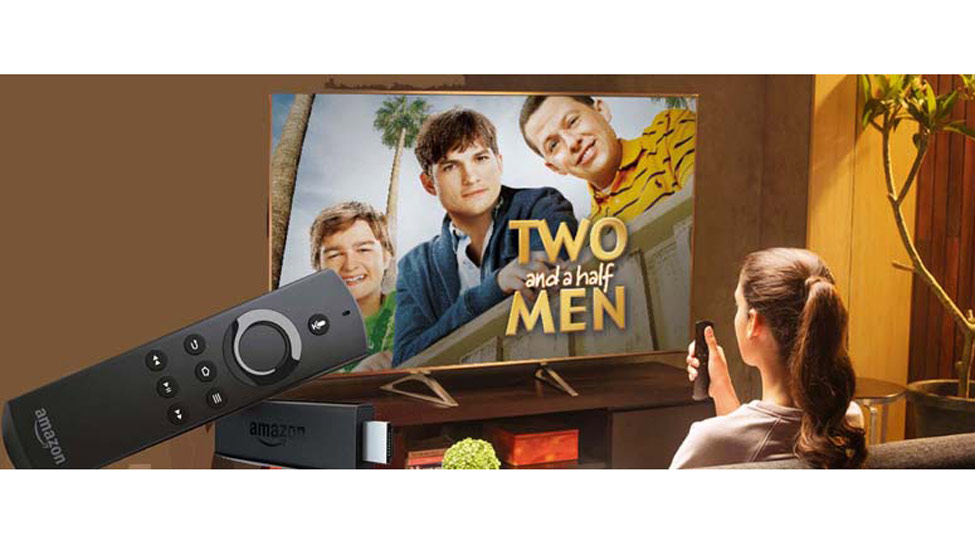
These days most TVs of size 36 inches or more, tend to be smart TVs. This means they have an in-built WiFi network adapter that can latch on to one's home WiFi network -- making it possible to surf the internet for video content in addition to the channels offered by Cable TV or Dish TV providers. This is very useful: You can access millions of educational or entertainment video clips, and thousands of full movies in all languages in YouTube alone. Even more important, if you miss an installment of your favourite TV serial, you can go at your leisure to a site like Hotstar and see any of the archived installments for free. Plus there are dozens of video-on-demand providers -- Hoot, Eros, Netflix -- offering a mix of free and pay-per-view fare. So, buying a smart Tv is a smart move these days.
But what if you already have a perfectly good TV, especially one with a HD screen and a HDMI port? No need to throw it away or even trade it. It is fairly simple to convert an LED TV into a Smart TV, by buying what is known as a Smart TV stick or dongle
Google, launched the Chromecast stick over a year ago. And most recently Amazon launched the Fire TV Stick in India, with a slate of India-specific features.
For a TV stick to give you steady Internet-sourced video, you need a home brodband router feeding a WiFi network with at least 40-50 MBPS. The Amazon Fire TV stick works to High Definition and Dolby Surround sound 5.1, quality. If you want to get value for money from the stick, your TV needs to be HD too. I have been using the Fire TV for a month now. For starters, this is what you have to do.
Connect the stick to the HDMI port of your TV. To provide power for the device, connect the adapter provided to an AC mains outlet, Switch on the TV and select "HDMI" as the input source. You can use the remote that comes with the Fire Stick and runs on 2 triple A batteries (provided). You then choose your language from the menu that pops up on the TV. Then select your Wi-Fi network and enter its password
If you bought the stick from Amazon, you already have an Amazon customer account and the stick comes pre registered. Otherwise, if you bought the Fire Stick in a shop, you have to go through a brief registration process to get started. I would recommend that you simultaneously go to Amazon and sign up as member of Amazon Prime Video, paying Rs 499 for a year's membership. Perhaps you are already an Amazon Prime customer, in which case, the Prime Video is free for you. It will provide access to a large collection of English and Indian language movies and TV serials for free. ( This amount of Rs 499 is being refunded to those who buy the stick before end May.
You are now all set to browse the menus of all popular India-based Online video services plus Netflix. As you will see there is free content and paid content for which you may have to do an online credit or debit card transaction, using the same Fire remote. I have been seeing dozens of serials and some movies in Indian languages -- all without paying anything.... nor do I intend to!
Amazon has put a nice feature on the remote: a voice button. You can press it and speak out the name of the movie or show you want to watch. It understands and takes you there. If you set the language as Hindi initially, you can speak in that language.
Amazon Fire TV Stick costs Rs 3999. Google's Chromecast stick costs Rs 3399 but it has one limitation. It doesn't have a dedicated remote. You must install an app on your Android phone and use it to mirror content on the TV, that you primarily download or stream on the phone. Some people are happy to do it, but personally I don't like using my phone if a remote can do the job. I think Amazon has been really market-savvy in throwing in a free remote.
For the asking price, the Amazon Fire TV Stick will hugely widen what content you can see on your TV. Everything part of the Connected World these days. Can the TV remain immune? Welcome to the Connected TV.