



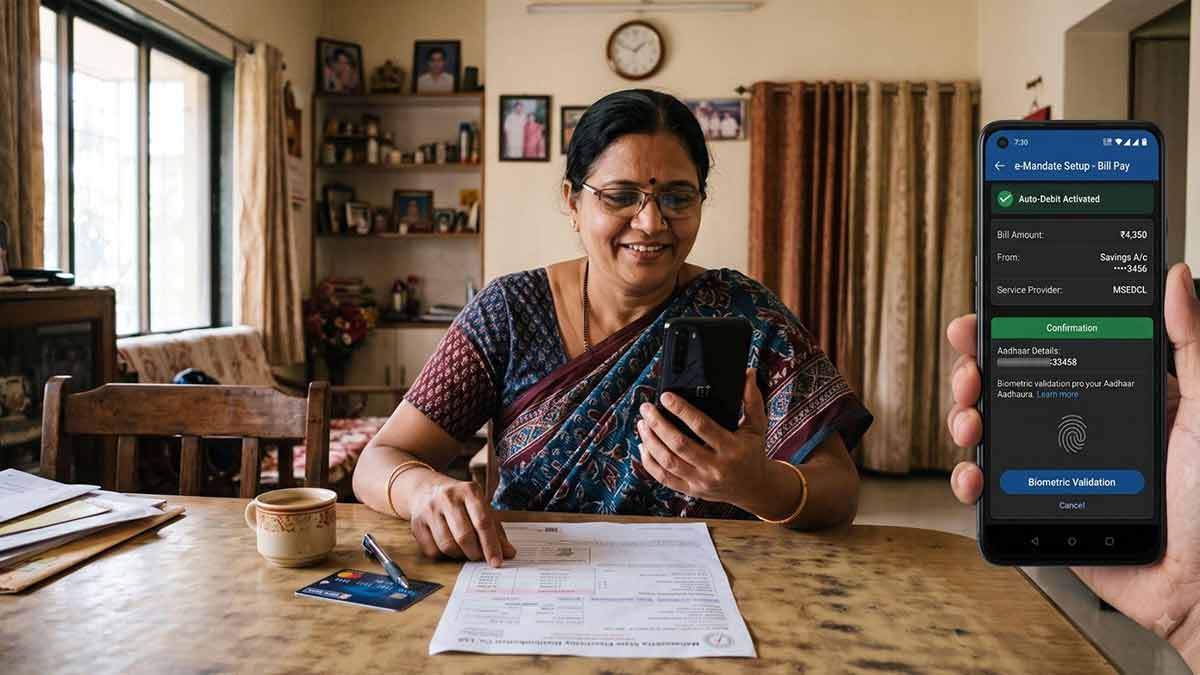
Managing recurring payments manually can become tedious, particularly when you have regular bills, subscriptions, insurance premiums or other scheduled expenses. Setting up auto-debit instructions can help ensure that these payments are made from your Bank Account without requiring you to initiate each transaction individually.
Banks may offer different mechanisms for recurring payments, including standing instructions and electronic mandates. Understanding how these options work, how to set them up and how to cancel them can help you manage your Savings Account more efficiently.
How Do I Set Up Auto-Debit for Bill Payments from My Savings Account?
The exact process depends on the type of payment and the bank or service provider involved.
For a recurring bill, you may generally be able to set up an auto-debit instruction through the biller's website or application, your bank's digital banking platform, or another authorised payment channel.
The process typically involves:
- Selecting the bill or service you want to pay automatically.
- Choosing your Savings Account as the payment source, where supported.
- Authorising the recurring payment mandate.
- Providing the required authentication.
- Confirming the amount, frequency or applicable limits.
- Receiving confirmation that the mandate has been registered.
For eligible electronic mandates, RBI's framework requires authentication during mandate registration and provides safeguards for recurring transactions.
The exact steps can differ depending on whether the instruction is created directly with your bank, through a merchant, or through a payment platform.
What is a Standing Instruction in a Savings Account?
A standing instruction is an instruction given by an account holder to the bank to make a specified payment or transfer according to predetermined conditions.
It can be useful for recurring payments such as:
- Loan instalments
- Insurance premiums
- Rent
- Utility bills
- School or college fees
- Transfers to another account
- Other scheduled payments
RBI's customer-service guidance provides for standing instructions on Savings and Current Accounts and requires banks to explain how customers can record and cancel them, as well as applicable charges.
A standing instruction can therefore reduce the need to remember multiple payment dates every month.
Standing Instruction vs Auto-Debit: What's the Difference?
Although the terms are often used interchangeably, the arrangement can differ depending on where the mandate is created.
A standing instruction is generally an instruction maintained with the bank to make a specified payment or transfer.
An e-mandate, meanwhile, can authorise recurring payments to a merchant or service provider through an eligible payment system.
Both are designed to automate recurring payments, but the registration process, authentication requirements and cancellation procedure may differ.
Can I Cancel an Auto-Debit Instruction Anytime?
In general, customers can revoke a recurring payment mandate, but the exact cancellation process depends on the type of mandate and the institution through which it was created.
For covered e-mandates, RBI's framework provides for modification and revocation with additional-factor authentication and requires the relevant systems to support the customer's withdrawal of the mandate.
For a standing instruction maintained directly with your bank, you can request cancellation through the channels provided by the bank. RBI customer-service guidance states that banks should tell customers how standing instructions can be recorded and cancelled.
If a payment is already in the processing pipeline, cancellation may not necessarily stop that particular transaction. Therefore, it is sensible to cancel a recurring instruction before the next scheduled payment date.
What is a Pre-Debit Notification?
One of the safeguards associated with covered recurring e-mandates is a pre-debit notification.
Under RBI's current framework, the issuer generally sends a notification at least 24 hours before the actual recurring debit. The notification provides information about the upcoming payment, allowing the customer to identify an unexpected transaction. Certain auto-replenishment transactions, such as specified FASTag and NCMC replenishments, are exempt from the pre-debit notification requirement because they do not have a fixed periodicity.
This makes it important to keep your registered mobile number or other notification channel updated.
What Should You Check Before Setting Up Auto-Debit?
Before authorising a recurring payment from your Savings Account, check:
- Payment amount or maximum permitted amount
- Payment frequency
- Start date
- End date or mandate validity
- Merchant or beneficiary details
- Cancellation procedure
- Applicable charges
- Whether sufficient funds need to be maintained
For variable bills, check whether the mandate allows the amount to change and whether a maximum amount can be specified.
What Happens If Your Account Does Not Have Enough Funds?
An auto-debit may fail if your bank account does not have sufficient funds or if another applicable restriction prevents the payment.
A failed recurring payment can potentially result in:
- Missed bill payments
- Late-payment consequences
- Additional charges, depending on the service provider
- Repeated debit attempts
Maintaining adequate funds before scheduled payments can help avoid such issues.
How to Manage Auto-Debits Safely
Automation is useful, but unattended automation is how humans occasionally discover that they have been paying for a subscription they forgot existed.
To manage recurring payments safely:
- Review your active mandates periodically.
- Cancel subscriptions you no longer use.
- Keep sufficient funds available for essential payments.
- Check pre-debit notifications.
- Review your account statement regularly.
- Never approve a mandate you did not initiate.
- Contact your bank promptly if you notice an unauthorised debit.
Can You Set Up Auto-Debit on a Zero Balance Account?
If you open zero balance account online, check whether the account supports the specific recurring payment or standing-instruction facility you need.
A zero-balance account does not require you to maintain a prescribed minimum balance, but you still need sufficient funds in the account when an authorised debit is due.
The availability of particular payment facilities, transaction limits and charges depends on the account's terms.
Conclusion
Setting up auto-debit and standing instructions can make managing recurring payments from your Savings Account considerably easier. Standing instructions allow banks to make scheduled payments according to your instructions, while eligible e-mandates can automate recurring payments to merchants and service providers.
Before setting up an instruction, review the payment amount, frequency, validity period and cancellation process. For covered e-mandates, RBI safeguards include authentication during registration and revocation, as well as pre-debit notifications for applicable recurring transactions.
If you open zero balance account online, also verify that the account supports the recurring payment facilities you require and remember that zero minimum-balance requirements do not remove the need to maintain enough funds for scheduled debits.